 InvertDeck
Configure your Victron inverter from your phone.
InvertDeck opens, checks and configures Victron Energy Multi and Quattro inverter-chargers on Android. Every setting is explained in plain words, and the checks catch what doesn't match your battery before anything is written.
Everything VEConfigure does, on Android
Free to open, check, edit and watch live. You pay only when you save a configuration or write it to your inverter.
Open and check configurations
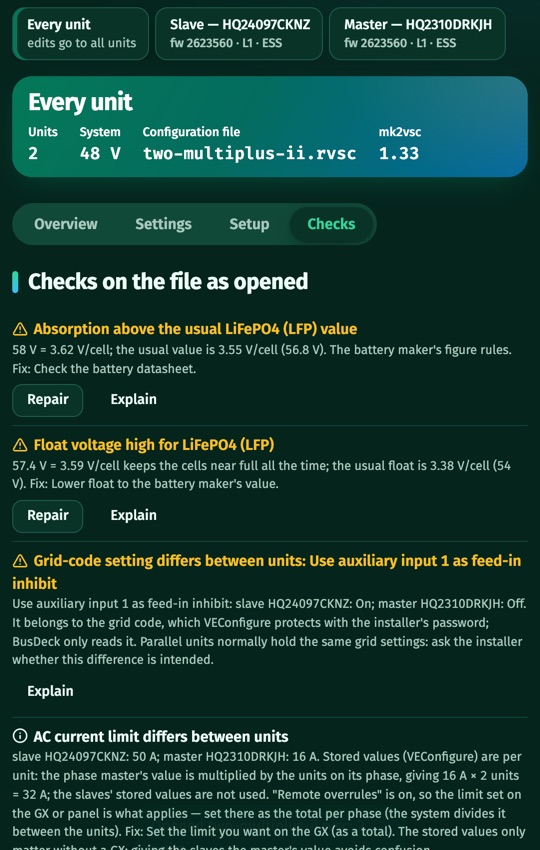
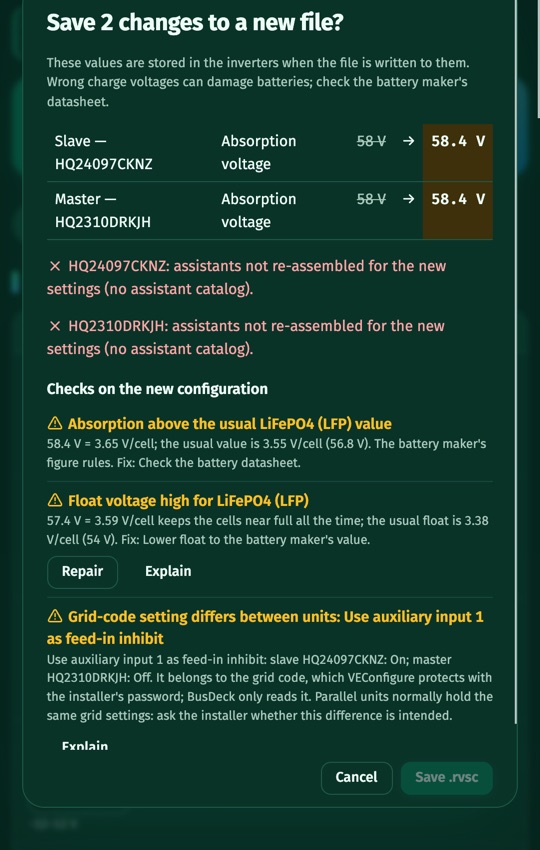
Open .rvsc files from a GX, from VRM Remote VEConfigure or from InvertDeck. The checks flag values that don't fit your battery, with one-tap repair.
Live and control over MK3-USB
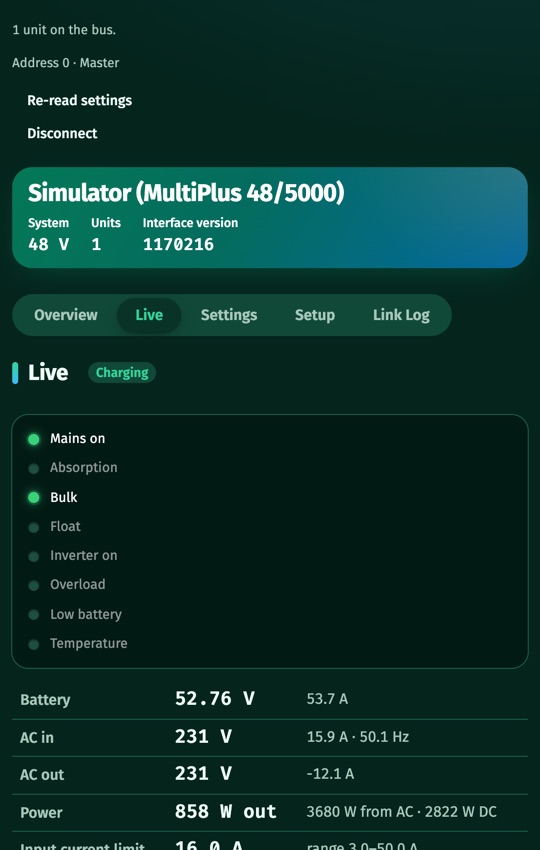
Through USB-OTG see the panel LEDs and live values, switch the mode and the input current limit, read and write the stored settings.
Through your GX on the network
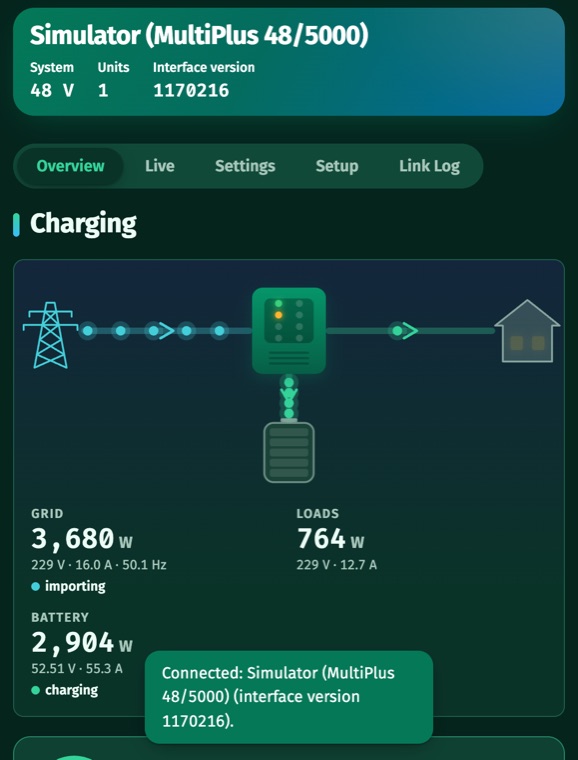
Watch power flows in real time and read or write the configuration of the whole system through a Victron GX device.
ESS and guided setup
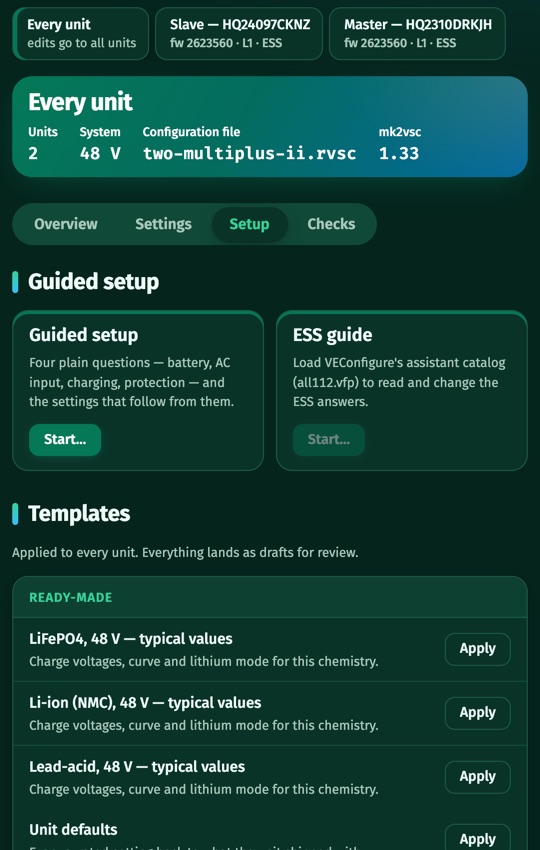
Simple questions instead of register numbers. Templates, and copying settings between units.
Safety first
Values outside the safe limits can't be saved. Grid codes and read-only settings stay locked. Every write keeps a backup and reads each value back.
AI assistant (Pro)
Ask about any setting or ask for a change. The assistant prepares it; you review it before anything is saved.
See it in use
Screens from the Android app, running on the built-in demo.
Pricing
No account needed. Opening, checking, editing, Live, Control and the demo are free.
- Open and check configuration files
- Edit, repair and explain settings
- Live values and control over MK3-USB
- GX live view and demo mode
- Save one reviewed configuration file, or
- Write one configuration to your inverters (MK3 or GX)
- Used only when something is actually saved or written
- Unlimited saves and writes
- The AI assistant
- Up to 5 phones or tablets
Prices include VAT where it applies; the final price for your country is shown at checkout. Payments are processed by Paddle.com, our online reseller and Merchant of Record, who also handles invoices and refunds. See the terms and the refund policy.
Get the app
InvertDeck runs on Android 8 or newer and needs an internet connection: its engine runs on our server. For MK3, use a phone with USB-OTG and Victron's MK3-USB interface. For GX, enable SSH on the GX device.
The Android app is being released. Write to us and we'll send you the download link (APK with its SHA-256 checksum) as soon as it's out; a Google Play listing follows.
Questions
Which inverters does InvertDeck work with?
Victron Energy Multi, MultiPlus, MultiPlus-II and Quattro inverter-chargers on VE.Bus, single units and parallel or three-phase systems.
Do I need an account?
No. InvertDeck makes a random installation ID on your phone. Purchases are linked to it, not to your name.
What counts as one single save?
One configuration file saved, or one write that sent at least one value to your inverters. A write that wrote nothing leaves the purchase unused.
How do I cancel the subscription?
In the app, open “Manage subscription”: Paddle's customer page lets you cancel, change your card and download invoices. You keep Pro until the end of the period you paid for.
Can I get a refund?
Yes, within 14 days of purchase. See the refund policy.
Is InvertDeck made by Victron Energy?
No. InvertDeck is an independent product of Codestripes LLC and is not affiliated with or endorsed by Victron Energy. Victron, MultiPlus, Quattro and VE.Bus are trademarks of Victron Energy B.V.
Wrong charging settings can damage batteries. Always follow your battery maker's datasheet; InvertDeck's checks help but do not replace it.